
01
Start with the surface.
Run a free public scan of a domain you own or are authorized to review. Get a preview of externally visible security signals.
WEBSITE SECURITY, WITH A NEXT STEP
Whether you’re vibe coding, building with AI, or writing every line yourself, your site’s security matters. Find gaps, understand the risks, and see what to fix next.
Start with a free public scan. Verify ownership for deeper scans on eligible plans.
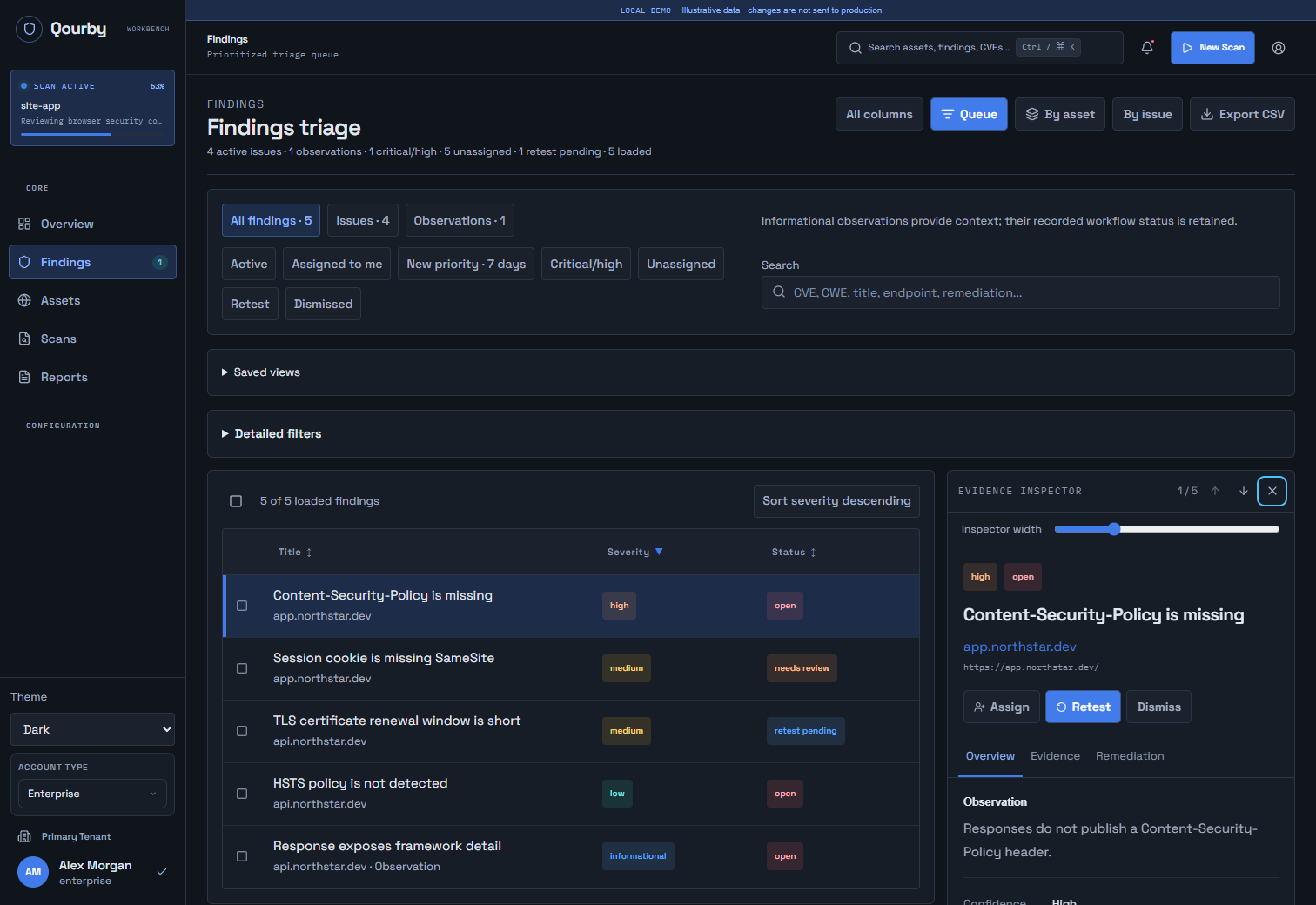
Evidence beside the finding
Ownership before active scanning
A workflow beyond detection
How it works
Move from a public baseline to a verified assessment, then into the work of fixing what you find.
Run a free public scan of a domain you own or are authorized to review. Get a preview of externally visible security signals.
Add your site and verify ownership with a DNS TXT record or verification file. Standard and Deep active scans require verification and an eligible plan.
Work through findings with severity, confidence, evidence, and remediation context. Request a retest after making a change and review the result.
Choose the right depth
The free preview and active scans serve different purposes. Know what you are running and what the result can tell you.
A first look
A bounded check of what your website exposes publicly.
No account required to start. The preview limits technical finding details; workspace access is required for the full detail.
Start a free scanVerified ownership
Active checks for the sites you control.
Requires verified ownership and an eligible active plan. Available checks depend on your configuration and target.
Create a workspaceVerified ownership + eligible plan
A broader assessment with more room to investigate.
Requires verified ownership and a plan with Deep access. A scan reports the coverage achieved, including incomplete checks.
Explore scan plansNon-invasive checks apply to the free public scan. Active profiles make additional requests to your verified site. Read our security approach
When one scan becomes a workflow
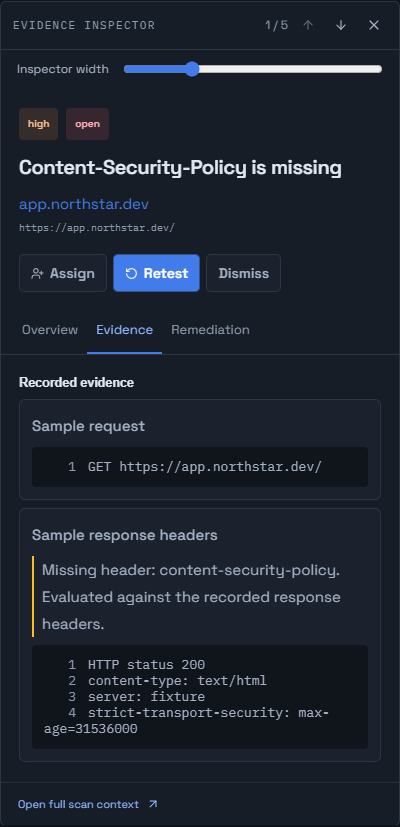
The findings queue and inspector keep the question, the evidence, and the next step together.
Filter by severity, status, or asset. Review confidence and distinguish issues from informational observations.
Open recorded evidence beside the finding, then review remediation guidance and the full scan context.
Use assignments and review states where your plan allows. Request a retest after a change; the request itself does not mark a finding fixed.
Simple starting points
Choose the scan depth, history, scheduling, exports, and collaboration your sites need. Availability and usage limits vary by plan.
Compare plans and limitsSecurity and scope
What gets checked, what verification unlocks, and how to read the result.
Yes, if it is deployed on a public domain you own or are authorized to assess. Qourby checks the running website over the network. It does not review your source code or certify AI-generated code. The same ownership verification and plan requirements apply to deeper scans.
No. The free scan is a non-invasive public preview. After you verify site ownership, Standard and Deep profiles provide active scanning on eligible plans. Verification establishes control of the site; your plan and scan configuration determine which checks you can run.
Add your site to a workspace, then publish the supplied DNS TXT record or place the verification file at the specified path on your site. Qourby checks the record or file before allowing Standard or Deep scans.
A preview of public security signals, including headers, HTTPS, DNS, cookies, and exposed metadata. Some technical finding details are restricted in the public preview and require workspace access. It does not run the Standard or Deep active profiles.
No. Completion describes the scan run, not a guarantee of security. Review its findings, confidence, and coverage. Blocked, skipped, or incomplete checks leave gaps, and automated scanning does not replace a scoped manual security assessment.
No. Scan profiles, usage limits, history, scheduling, exports, and collaboration vary by plan. Review the pricing page before choosing a workspace plan. Ownership verification does not automatically grant paid features.
Your next step
A free public baseline for a domain you own or are authorized to review.